Storage locations
Define storage locations for your company that can later be assigned to inspection equipment.
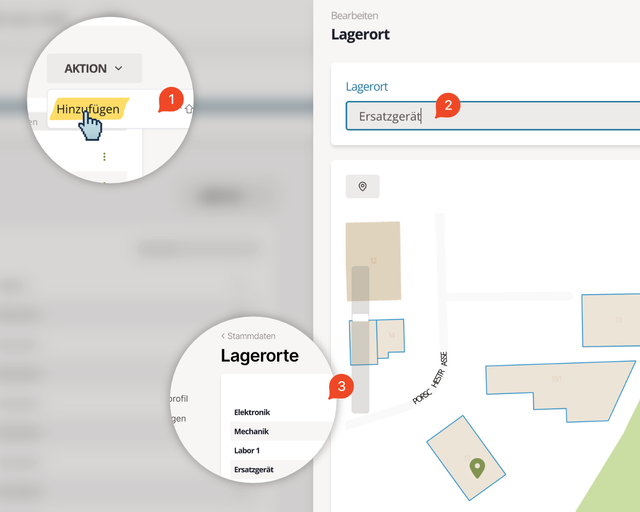
Fig. 1: Edit storage location
Edit
Select the storage location from the list (3). Use the search field to narrow the list. Click the three dots at the end of the row and choose Edit.
Adjust the data (2). In the map toolbar you can reposition the marker. Map changes are saved immediately—no additional Save click required.

Click Save when you are done.
Add
Click Action → Add (1) to open the dialog. Enter the name and click Add to store the new location.
Delete
Select the storage location, click the three dots, and choose Delete.
Deleting a storage location happens without an additional confirmation.
Deleting storage locations does not affect existing inspection equipment. Their data remains available.