New master data and location management
· 2 min read

This update makes it much easier to work with sites, storage locations, and calibration labs in Memida. In addition to several fixes we expanded the master data tools and refined the UI for better clarity and faster handling.
New features at a glance
Extended master data management
- Add, edit, or delete sites and storage locations directly within the master data view.
- Manage calibration labs from the same interface.
Revised view for sites and storage locations
- Improved layout for better clarity.
- Better overview of added locations with highlighted markers on the map.
- New function: click a building on the map (1) to mark it automatically.
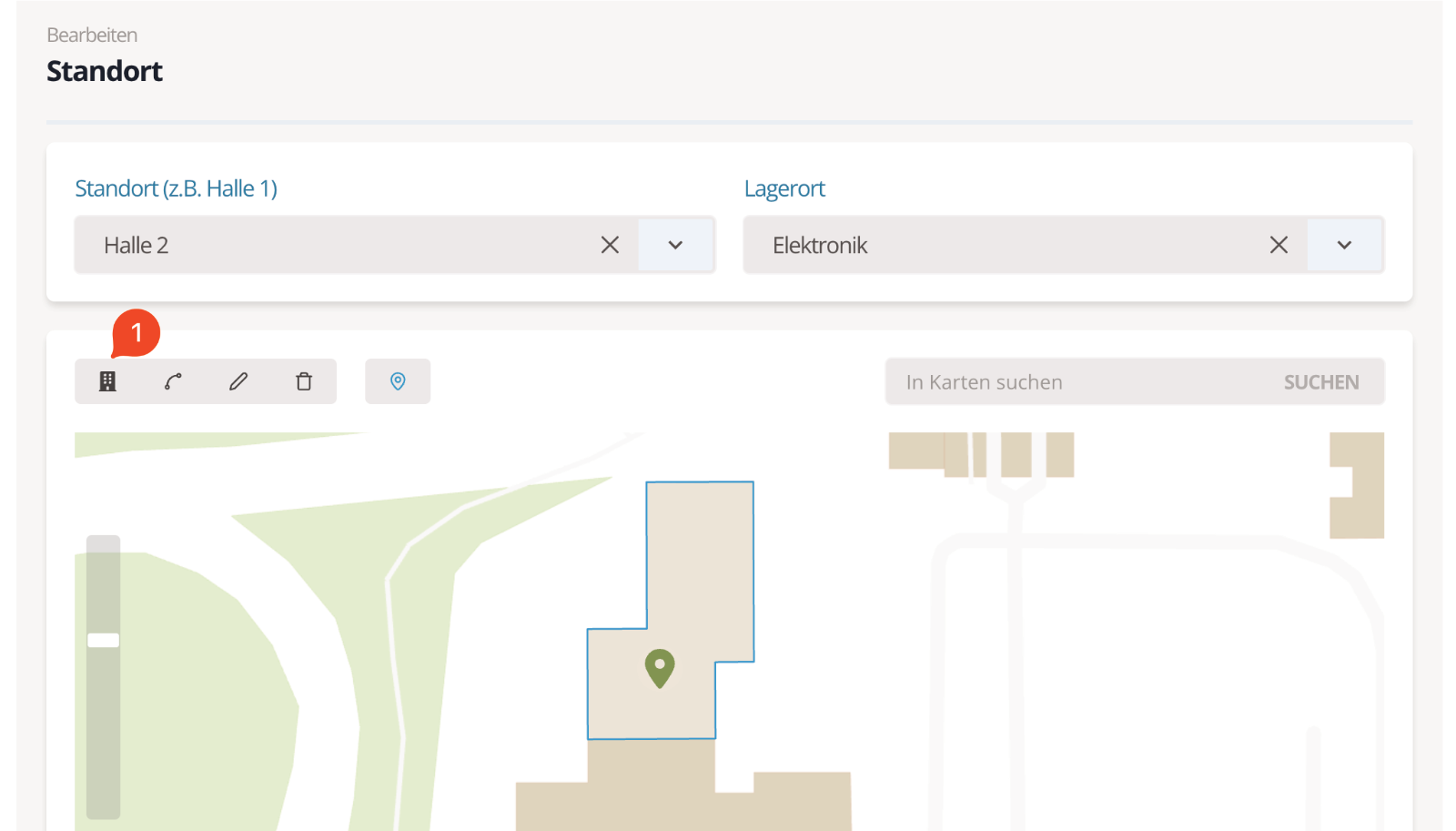
Fig. 1: Edit site and storage location
Comments on inspection equipment
- Comments can now be pinned and unpinned as needed.
- Pinned comments always appear at the top of the comment list.
Open the comment menu to see all options. Choose Pin (1) to pin the comment.
Tip: Pinned comments display an icon next to the avatar (2).
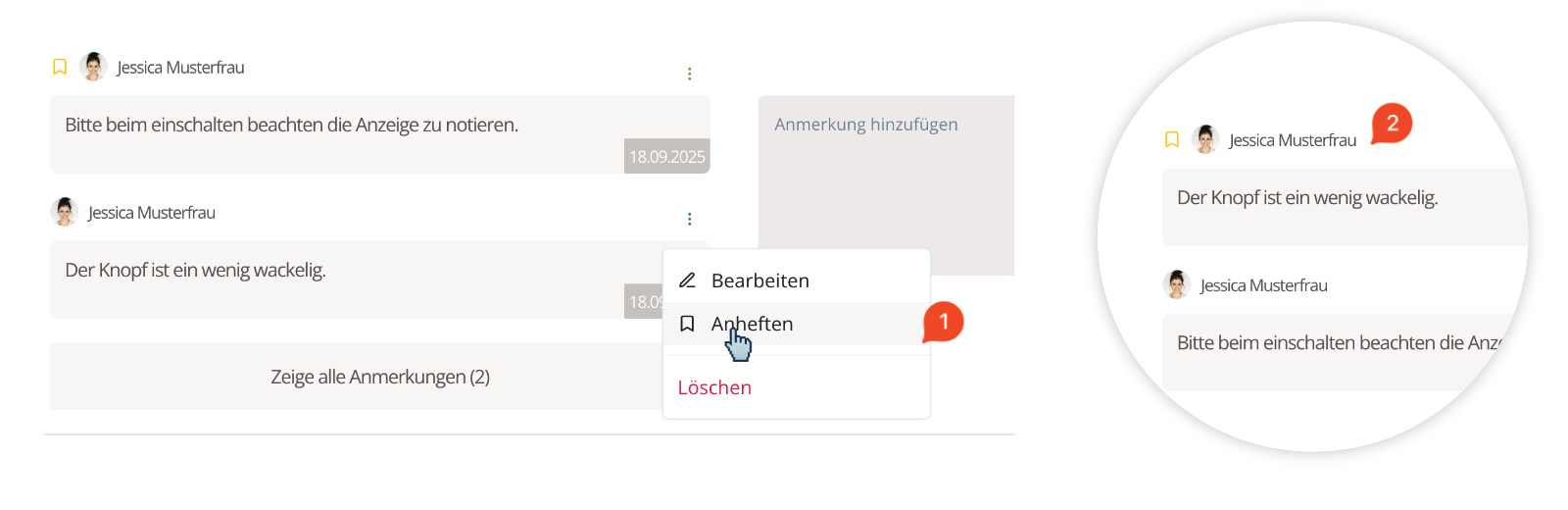
Fig. 2: Comment view
General improvements
- Saving sites: fixed an occasional issue where saving did not respond.
- Unified hotkeys: keyboard shortcuts now work consistently across Windows, Linux, and macOS.
- Status display: instead of “not ready for use,” the correct status “Expired” is shown consistently.
Read more in our handbook: Handbook.